プレビュー
この機能はまだ開発中ですが、ぜひお試しください。
この機能は現在、弊社のプレリリース ポリシーに従ってプレビュー プログラムの一部として提供されています。
このページでは、ワークフロー自動化アクション カタログで使用できる Slack チャット アクションの包括的なリファレンスを提供します。これらのアクションにより、メッセージング操作を緩和できます。
前提条件
ワークフロー自動化でコミュニケーションアクションを使用する前に、次の点を確認してください。
- 適切な権限を持つ Slack ワークスペース。
- ワークフロー自動化でシークレットとして設定された Slack ボット トークン。
- メッセージを送信する Slack チャネルへのアクセス。
Slack 統合の構成
このセクションでは、ワークフロー自動化の Slack アクションを許可するために最小限のスコープ権限で Slack アプリケーションを設定する手順について詳しく説明します。
Slackアプリを作成する
Slack API >Create New App > From Scratch
アプリに名前を付けてワークスペースを選択し、 Create App [アプリの作成]をクリックします。
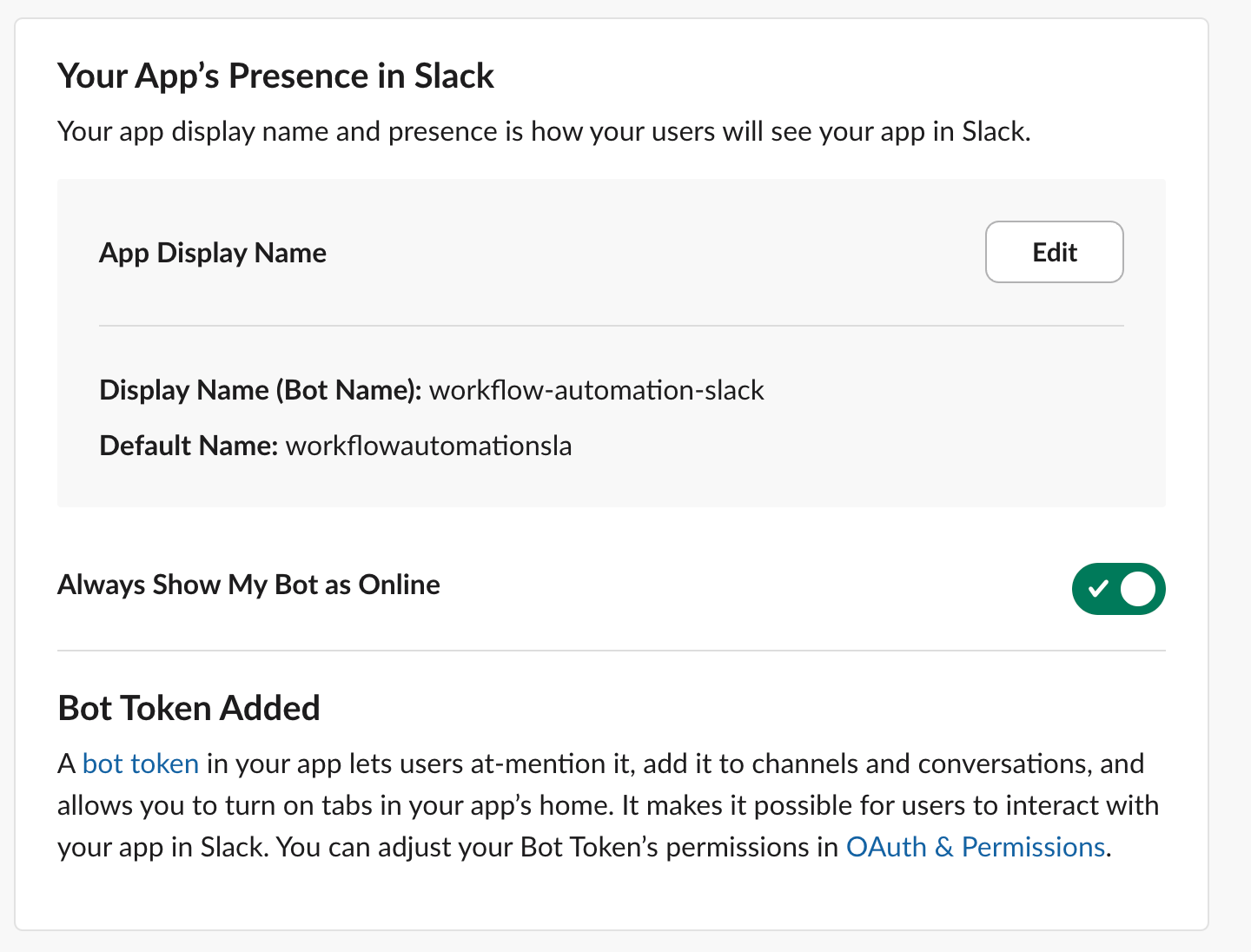
作成したら、左側のナビゲーションのApp Home [アプリ ホーム]に移動し、ボットがオンラインになっていることを確認します。
OAuth権限を設定する
左側のナビゲーションで、 OAuth & Permissions [OAuth と権限]を選択します。
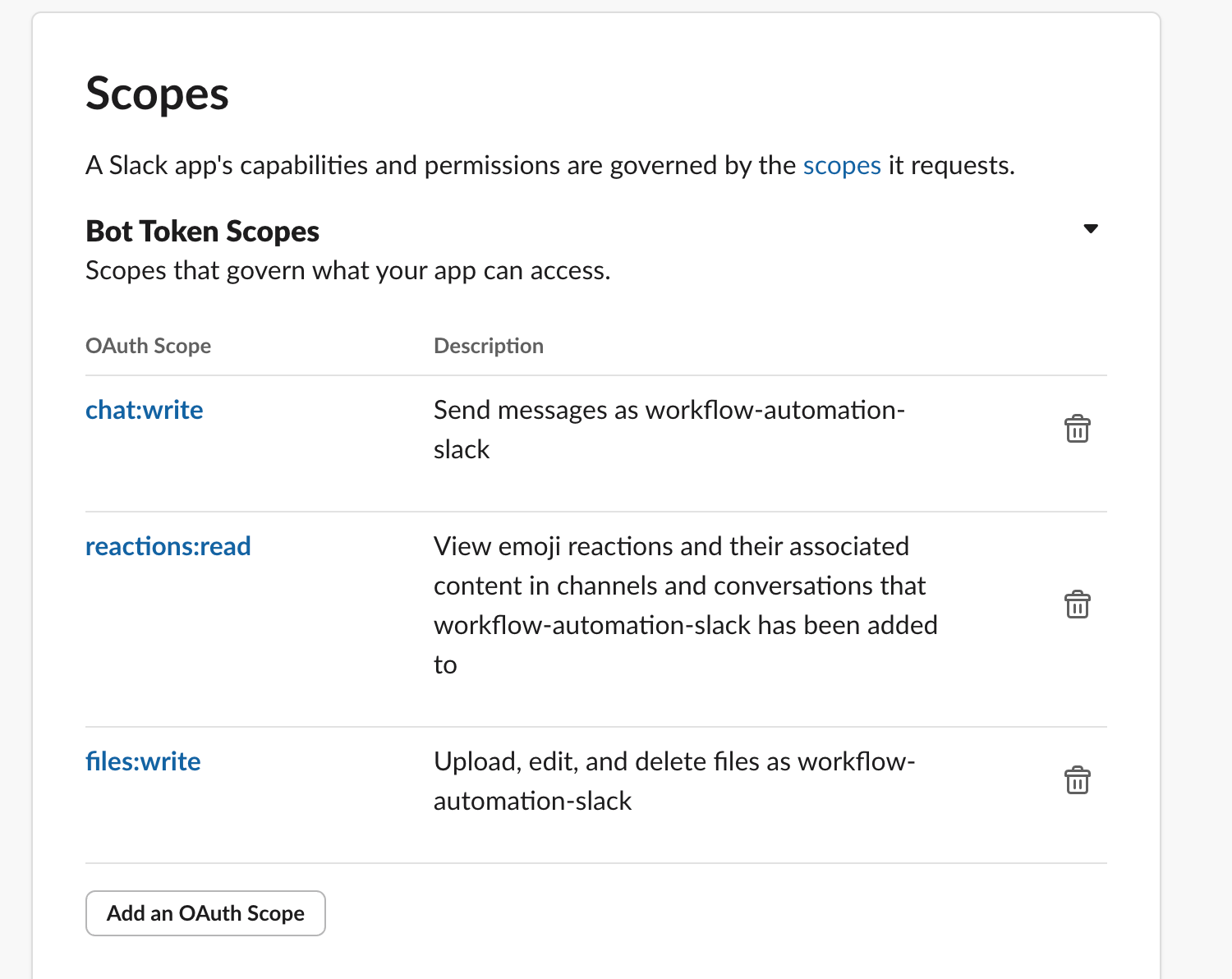
Bot Token Scopes [ボット トークン スコープ]セクションまで下にスクロールし、次のスコープを追加して、ワークフロー自動化アクションの使用を許可します。
chat:write - メッセージを投稿するために必要ですreactions:read - スレッドからの反応を得るために必要files:write - スレッドに添付ファイルをアップロードするために必要です
上にスクロールして、 Install to [workspace] [ワークスペースにインストール]ボタンをクリックして、Slack ワークスペースで OAuth セットアップを開始します。
確認プロンプトが表示されます。Allow [許可]をクリックして確認します。
成功したら、Bot token [ボット トークン]をコピーし、次のステップのために保存します。トークンはxoxb-...で始まる必要があります。
チャンネルにアプリを追加する
Slack アプリの作成と設定が完了したら、使用する Slack チャンネルのインテグレーションを編集し、Slackアプリを追加して、そのチャンネルにアプリを追加します。
New Relicの設定
Slack アプリケーションをセットアップしてボット トークンを取得したら、以下の GraphQL ミューテーションを使用してこの資格情報を New Relic シークレット管理に保存します。
secretsManagementCreateSecret(
scope: { type: ACCOUNT, id: "12345678" }
description: "A slack token to send messages with newrelic workflow automation"
次の値を設定します。
id - New RelicアカウントIDnamespace - オプション:任意の英数字文字列を使用して秘密を分類しますkey - この秘密を参照するには英数字の文字列を使用しますdescription - 秘密の説明(オプション)value - 前の手順でコピーしたSlackボットトークン
New RelicユーザーAPIキーを備えたNerdGraph GraphiQLエクスプローラーを使用して、このミューテーションを実行できます。 正常に送信すると、次のような結果が表示されます。
"secretsManagementCreateSecret": {
"key": "my-app-bot-token"
ワークフローで Slack を使用する
ネームスペースとキー名とともに保存されている Slack ボットの秘密を利用して、ワークフロー オートメーション機能を使用します。
例:
action: slack.chat.postMessage
channel: test-channel-workflow
token: ${{ :secrets:slack:my-app-bot-token }}
ヒント
ネームスペースを使用しなかった場合は、次のように、宛先入力から:namespace部分を削除します。 ${{ :secrets:my-app-bot-token }}
Slackアクション
オプションのファイル添付を使用して、メッセージを Slack チャネルに送信します。
入力フィールド | オプション性 | タイプ | 説明 | 例 |
|---|
トークン | 必須 | ひみつ | 使用する Slack ボット トークン。これは秘密の構文として渡す必要があります。トークンの設定手順については、 「Slack 構成の追加」 を参照してください。 | ${{ :secrets:slackToken }}
|
チャネル | 必須 | 弦 | メッセージを送信するチャネルの名前、またはチャネル ID。詳細については、 Slack API を 参照してください。 | my-slack-channel
|
テキスト | 必須 | 弦 | 指定された channel
で Slack に投稿されるメッセージ。 | Hello World!
|
スレッドT | オプション | 弦 | 親メッセージに属するタイムスタンプ。スレッド内でメッセージの返信を作成するために使用されます。 | <digits>.<digits>
|
添付ファイル | オプション | 地図 | 指定された channel
にメッセージ付きのファイルを添付できます。 | |
添付ファイル.ファイル名 | 必須 | 弦 | Slack にアップロードするファイルのファイル名を指定します。 | file.txt
|
添付ファイルの内容 | 必須 | 弦 | UTF8 としてアップロードするファイルの内容。 | Hello\nWorld!
|
セレクター | オプション | リスト | 指定された唯一のものを出力として取得するセレクター。 | [{\"name\": \"threadTs\", \"expression\": \".threadTs\"}, {\"name\": \"channelID\", \"expression\": \".channelID\")\"}]
|
出力フィールド | タイプ | 説明 | 例 |
|---|
スレッドT | 弦 | メッセージ スレッドのタイムスタンプ。今後の postMessage
呼び出しでスレッドに返信を投稿するために使用される可能性があります。 | <digits>.<digits>
|
チャンネルID | 弦 | メッセージが投稿されるチャネルの ID。 | <string>
|
成功 | ブール値 | リクエストのステータス | true / false
|
エラーメッセージ | 弦 | 失敗理由をメッセージとして | <string>
|
例1: Slackメッセージを送信する
ワークフローの例 |
|---|
- name: send_slack_message action: slack.chat.postMessage token: ${{ :secrets:dn_staging_slack_token }} channel: ${{ .workflowInputs.channel }} text: ${{ .workflowInputs.text }}
入力: "value": "test-channel-workflow" "value": "This is my message *with bold text* and `code backticks`"
期待される出力: "threadTs": "1718897637.400609", "channelID": "C063JK1RHN1"
|
例2: ファイルを添付する
ワークフローの例 |
|---|
action: slack.chat.postMessage token: ${{ :secrets:dn_staging_slack_token }} channel: test-channel-workflow text: "Please find the attached file:"
期待される出力: "threadTs": "1718897637.400609", "channelID": "C063JK1RHN1"
|
Slack チャネルからメッセージに対する反応を取得します。
入力フィールド | オプション性 | タイプ | 説明 | 例 |
|---|
トークン | 必須 | ひみつ | 使用する Slack ボット トークン。これは秘密の構文として渡す必要があります。トークンの設定手順については、 「Slack 構成の追加」 を参照してください。 | ${{ :secrets:slackToken }}
|
チャンネルID | 必須 | 弦 | メッセージの反応を取得するためのチャネルID。 reactions.getメソッド
を参照してください | C063JK1RHN1
|
タイムアウト | オプション | Int | 反応を待つ時間(秒単位)。デフォルトは 60 秒、最大許容時間は 600 秒 (10 分) です。 | 60 |
スレッドT | 必須 | 弦 | メッセージに属するタイムスタンプ。そのメッセージの反応を取得するために使用されます。 | <digits>.<digits>
|
セレクター | オプション | リスト | 指定された唯一のものを出力として取得するセレクター。 | [{\"name\": \"reactions\", \"expression\": \".reactions \"}]
|
出力フィールド | タイプ | 説明 | 例 |
|---|
反応 | リスト | キャプチャされたすべての反応を含む要素のリスト、またはタイムアウトが発生した場合は空のリスト。 | <list>
|
成功 | ブール値 | リクエストのステータス | true / false
|
エラーメッセージ | 弦 | 失敗理由をメッセージとして | Invalid slack token
|
例1: Slackで反応を得る
ワークフローの例 |
|---|
action: slack.chat.getReactions token: ${{ :secrets:dn_staging_slack_token }} channelID: ${{ .steps.promptUser.outputs.channelID }} threadTs: ${{ .steps.promptUser.outputs.threadTs }} timeout: ${{ .workflowInputs.timeout }} selectors: ${{ .workflowInputs.selectors }}
入力: "value": "1718897637.400609" "value": "[{\"name\": \"reactions\", \"expression\": \".reactions \"}]"
出力: |