New Relic Query Language (NRQL) is a SQL-like language for querying your New Relic data. The same query language that powers New Relic's built-in charts and dashboards is available to you, so you can build the views and alerts your team needs.
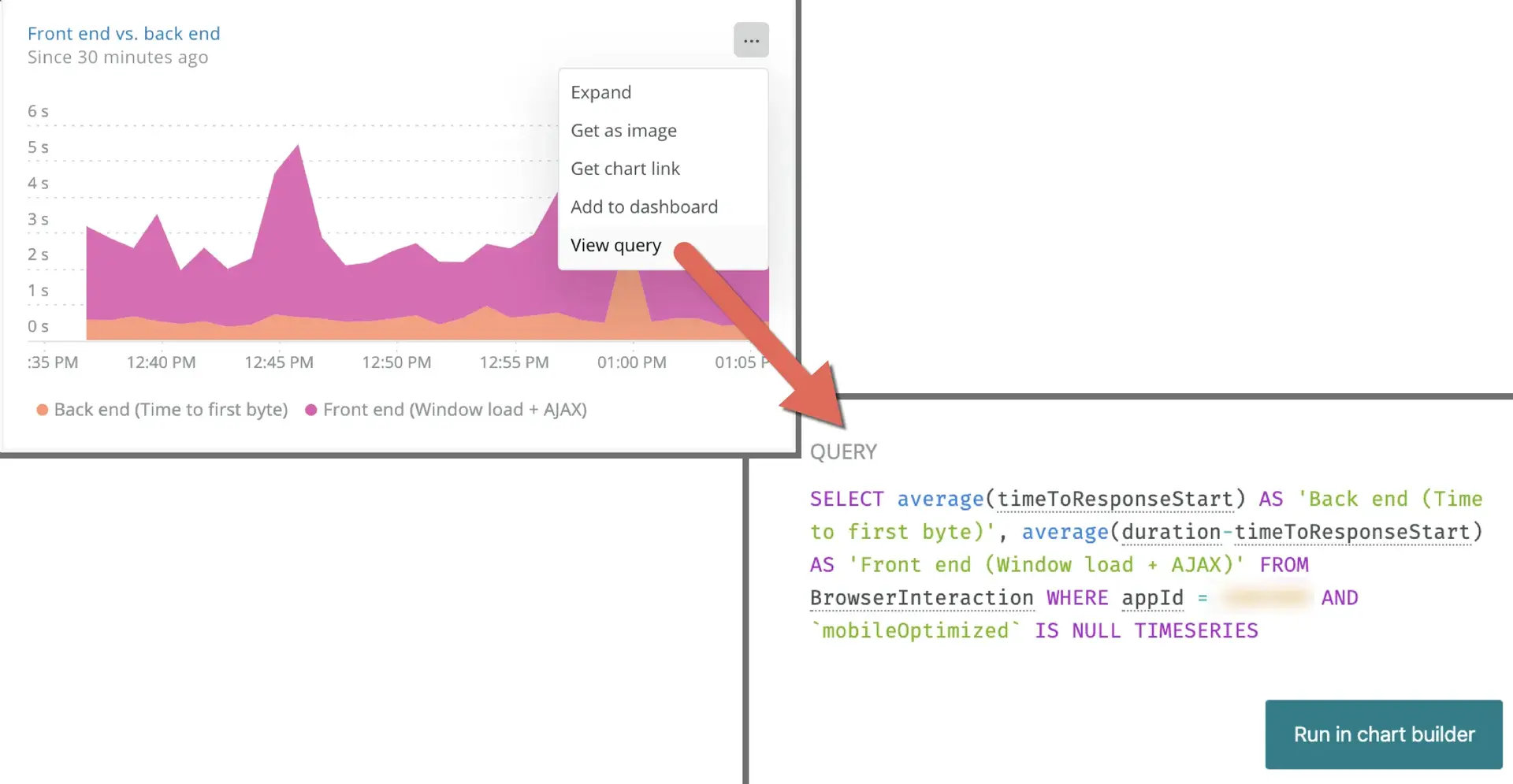
Here's a video to help introduce you to using NRQL by showing you how to find a query from a dashboard and modify it in the query builder. For more detailed information on querying, including a listing of clauses, functions, and example queries, see our NRQL reference.
What you can do with NRQL
Use NRQL to:
- Build charts that show transaction throughput, error rates, or latency over time
- Answer a specific question for the purpose of troubleshooting or business analysis
- Investigate a performance issue by querying the specific events and attributes involved
- Set up NRQL-based alerts that fire when a metric crosses a threshold
- Make API queries for your New Relic data for example, using our NerdGraph API.
NRQL works for both basic queries (fetching raw rows of event data) and calculated results, such as funnels based on how users interact with your site or application.
팁
New Relic uses NRQL internally to power the charts and dashboards in the New Relic platform. That same query language is available to you.
Queryable data types
NRQL lets you query nearly every type of our telemetry data, including:
- Event data from all New Relic products. Examples include:
- APM events, like
Transaction - Browser monitoring events, like
PageView - Mobile monitoring events, like
Mobile - Infrastructure events, like
ProcessSample - Synthetic events, like
SyntheticCheck - Custom events, like those reported by the Event API
- APM events, like
- The
Metricdata type (metrics reported by the Metric API and data sources that use that API) - The
Spandata type (distributed tracing data) - The
Logdata type (data from our log management capabilities)
팁
Some data, like relationships between monitored entities, is not available via NRQL but is available using our NerdGraph API.
Where to use NRQL
NRQL is available across the platform:
Access the query builder through the Query your data drawer at the bottom of any New Relic page to run queries and create custom charts.
You can run an NRQL query in the query builder within the platform. This NRQL query shows a count of distributed tracing spans faceted by their entity names.
NRQL-based alerts are the primary alert type in New Relic. To create one, go to one.newrelic.com > All capabilities > Alerts > Alert conditions (Policies) > (select a policy) > Add a condition, click NRQL, and then Next, define thresholds.
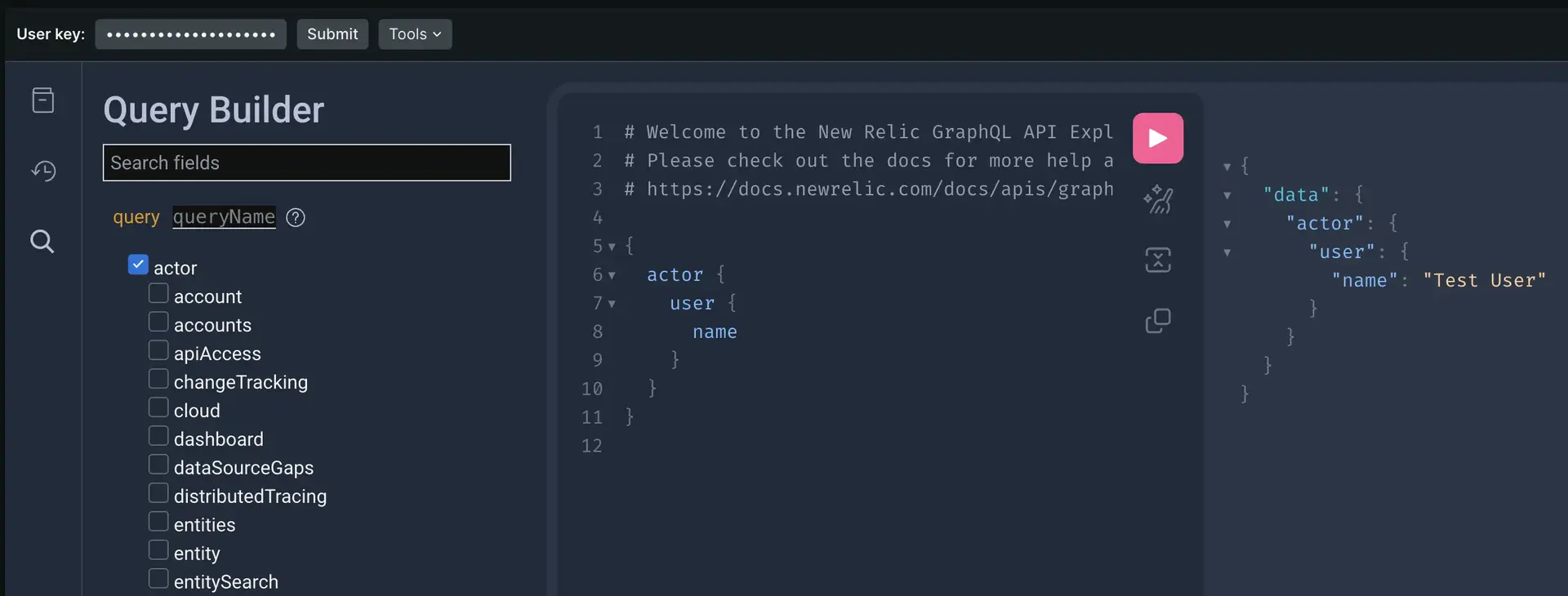
You can also use NRQL with our NerdGraph API. This lets you run asynchronous queries that aren't available in the UI.
NRQL query structure
NRQL follows a structured, clause-based syntax. Here's an NRQL query that counts all transactions in the last hour:
SELECT count(*) FROM Transaction SINCE 1 hour agoHere's a breakdown of all available clauses:
SELECT function(attribute) [AS 'label'][, ...]
FROM data type
[WHERE attribute [comparison] [AND|OR ...]][AS 'label'][, ...]
[FACET attribute | function(attribute)]
[LIMIT number]
[SINCE time]
[UNTIL time]
[WITH TIMEZONE timezone]
[COMPARE WITH time]
[TIMESERIES time]Here are the rules that NRQL follows:
NRQL rule | Details |
|---|---|
Required values | The |
Query string size | The query string must be less than 4 KB. |
Case sensitivity | Data type names and attribute names are case sensitive. NRQL clauses and functions aren't case sensitive. |
Syntax for strings | NRQL uses single quotes to designate strings. The following example shows the syntax: |
Non-standard custom event and attribute names | Events that we report by default have names that contain alphanumeric characters, colons ( |
Data type coercion | We don't support data type "coercion." For more information, see Data type conversion. |
For more information, see our NRQL reference to help you build your queries.
Next steps
- How NRQL works (query execution, data freshness, and limits)
- Charts and dashboards with NRQL (visualize your query results)
- Guided NRQL tutorial (hands-on walkthrough for new users)
- NRQL reference (full syntax, clauses, and functions)