• /
  • EnglishEspañolFrançais日本語한국어Português
  • ログイン今すぐ開始

この機械翻訳は、参考として提供されています。

英語版と翻訳版に矛盾がある場合は、英語版が優先されます。詳細については、このページを参照してください。

問題を作成する

BTPから - API管理、APIポータル

  1. BTP subaccountにログインします。

  2. BTP cockpitで、Instances and Subscriptionsをクリックします。

  3. 右上のCreateをクリックします。

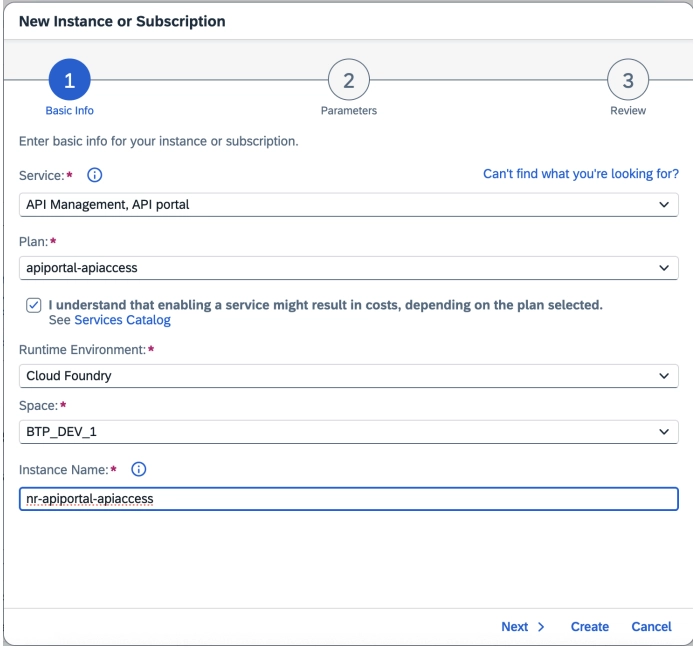
  4. ポップアップ画面で以下を選択します。

    • ServiceAPI Management, API Portal
    • Planapiportal-apiaccess
    • Runtime EnvironmentCloud Foundry
    • Space:担当の BTP administrator
    • Instance Name: 組織の命名規則に従ってください
    The Create Instance dialog showing Service, Plan, Runtime Environment, Space, and Instance Name fields for SAP Cloud ALM API
  5. 費用に関する免責事項を確認してください。

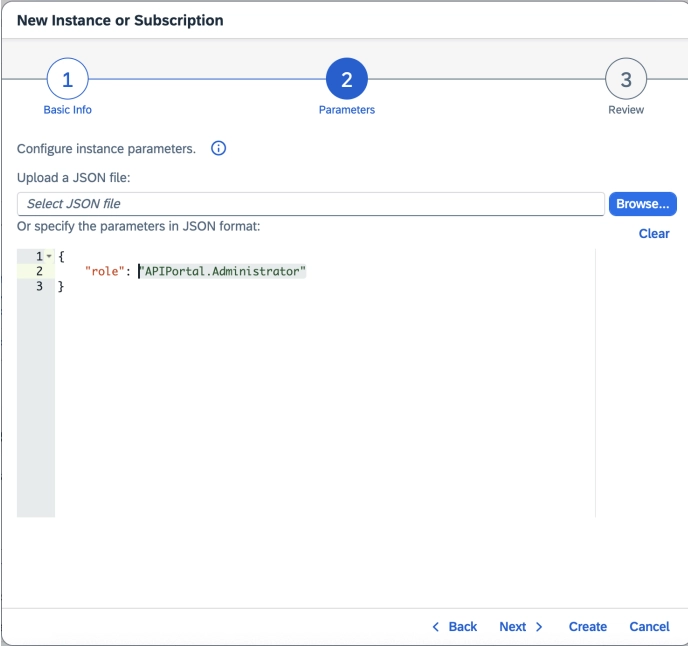
  6. Nextをクリックし、RolesAPIPortal.Administratorを選択します。

    The Create Instance dialog showing Service, Plan, Runtime Environment, Space, and Instance Name fields for SAP Cloud ALM API
  7. Nextをクリックして詳細を確認します。

  8. Createをクリックします。

  9. 作成されたら、Instancesタブでサービスを見つけます。

  10. インスタンスの横にある省略記号(...)をクリックし、Create Service Keyをクリックします。

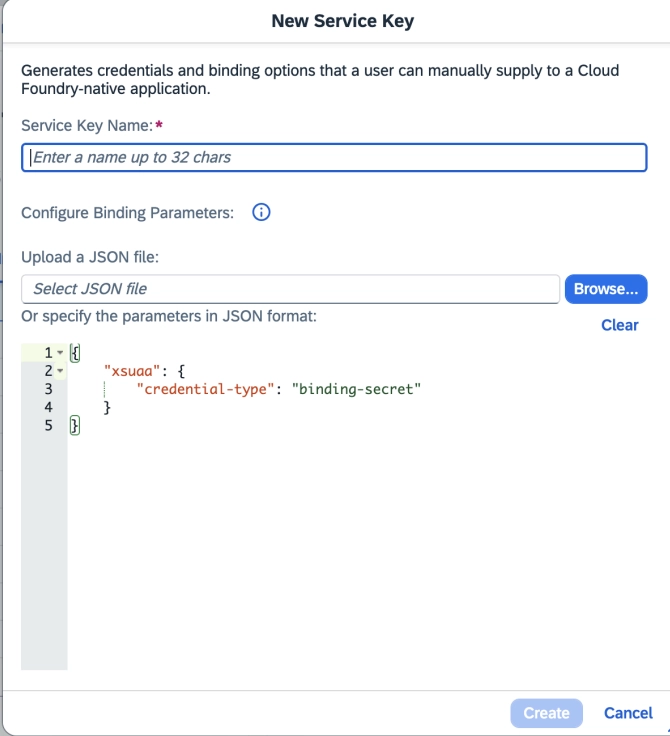
  11. Service Key NameCredential Typeを入力します:JSON formatbinding-secret

The Create Instance dialog showing Service, Plan, Runtime Environment, Space, and Instance Name fields for SAP Cloud ALM API
  1. Createをクリックし、service keyの横にある省略記号(...)をクリックしてダウンロードします。
Copyright © 2026 New Relic株式会社。

This site is protected by reCAPTCHA and the Google Privacy Policy and Terms of Service apply.